We Tried 3 Salesflow Alternatives for LinkedIn Outreach

If you’ve used Salesflow for LinkedIn outreach, you’ve probably seen both sides of it.
It’s quick to set up, the dashboard is simple, and it helps you grow your LinkedIn network faster. Many users like that.
But there are also real issues people talk about, frequent LinkedIn disconnections, invite limits even with paid plans, and no native HubSpot integration.
Some users even mentioned errors that stop campaigns without warning.
So, while Salesflow works well for basic automation, it can feel limiting if you want smoother workflows or stronger integrations.
That’s exactly what this article explores, real salesflow alternatives that can handle LinkedIn outreach more efficiently.
Let’s get into it.
TL;DR
- Salesflow helps you send LinkedIn and email messages but needs manual setup and has no built-in warmup.
- Salesforge automates LinkedIn and email, warms up inboxes, and books meetings with its AI SDR.
- Dripify lets you build LinkedIn drip campaigns and track results fast but needs Zapier for CRM links.
- Skylead sends unlimited emails, warms them up automatically, and uses visual smart sequences to control every step.
Why Look for SalesFlow Alternatives?
Here are the reasons why you must look for a Salesflow alternative:
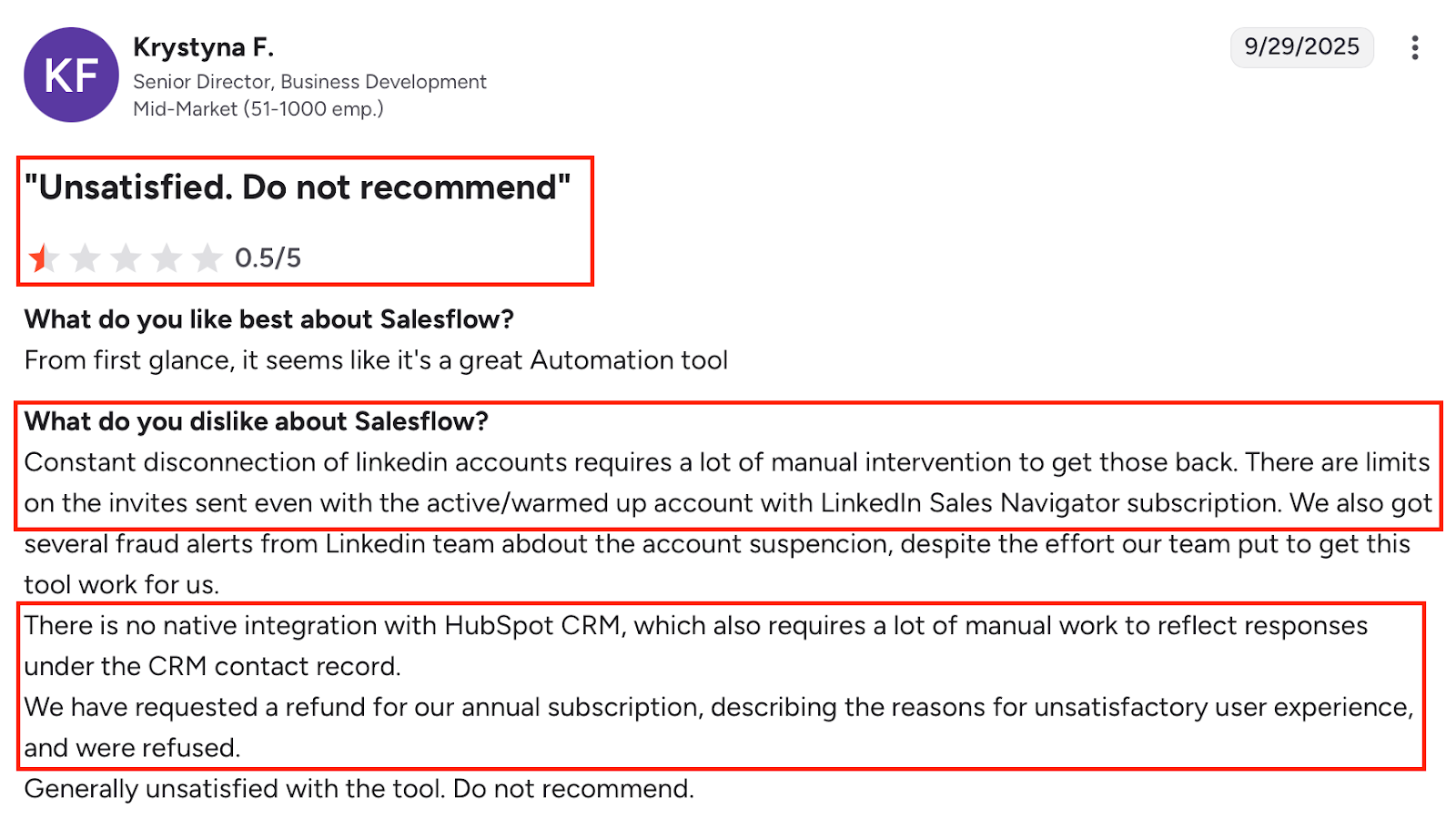
- Your LinkedIn accounts keep disconnecting.
Users say this happens often and needs manual fixes each time.
- Your campaigns stop without warning.

Some users shared that sequences just pause mid-way, and you don’t even know until you check.
- Your invites are limited even with a paid plan.
So, you hit LinkedIn’s limits fast and can’t reach as many people as you want.
- You can’t connect Salesflow directly with HubSpot.
It doesn’t have a native HubSpot integration, so you have to copy replies and updates by hand.
- Your setup feels too manual and time-consuming.
When campaigns stop or need updates, you spend more time fixing than actually running outreach.
- Your reporting isn’t easy to read.
Some users said the analytics are there, but it’s hard to find what really matters.
- Your workflow feels stuck on LinkedIn only.
There’s no built-in email or deliverability suite, so you can’t go beyond LinkedIn outreach.
If this sounds familiar, it’s a good time to explore better tools, ones that are smoother, faster, and handle both LinkedIn and email in one place.
How We Evaluated the Best Salesflow Alternatives?
When I tested other tools, I focused on what really matters for LinkedIn outreach.
- We checked how well each tool automates LinkedIn and email tasks, sending messages, following up, and managing replies.
- We looked for tools that include warm-up and deliverability features to keep your accounts safe.
- We paid attention to how simple the inbox is, you should be able to see and reply to all messages in one clean view.
- We reviewed how clear and real-time the reports are, so you always know what’s working.
- We made sure the tools connect easily with CRMs like HubSpot and Pipedrive, without any manual updates.
- We tested how smooth it is to manage multiple accounts or teammates from the same dashboard.
- We compared pricing to see if the cost actually matches what the tool delivers.
That’s exactly how I picked the best Salesflow alternatives, the ones that fix its weak points and help you run outreach with less stress.
The 3 Salesflow Alternatives for LinkedIn Outreach
#1. Salesforge — Best Salesflow Alternative for Smarter, Hands-Off Outreach

If you're tired of fixing broken LinkedIn connections or chasing missing replies inside Salesflow, Salesforge gives you more control, and less manual work.
Unlike Salesflow, which still needs your time to manage inboxes, warm-ups, and replies, Salesforge automates the entire flow, from finding leads to booking meetings.
It’s built for teams who want email and LinkedIn outreach in one place, but without worrying about sender limits, spam issues, or manual follow-ups.

What Salesforge Offers (That Salesflow Misses)
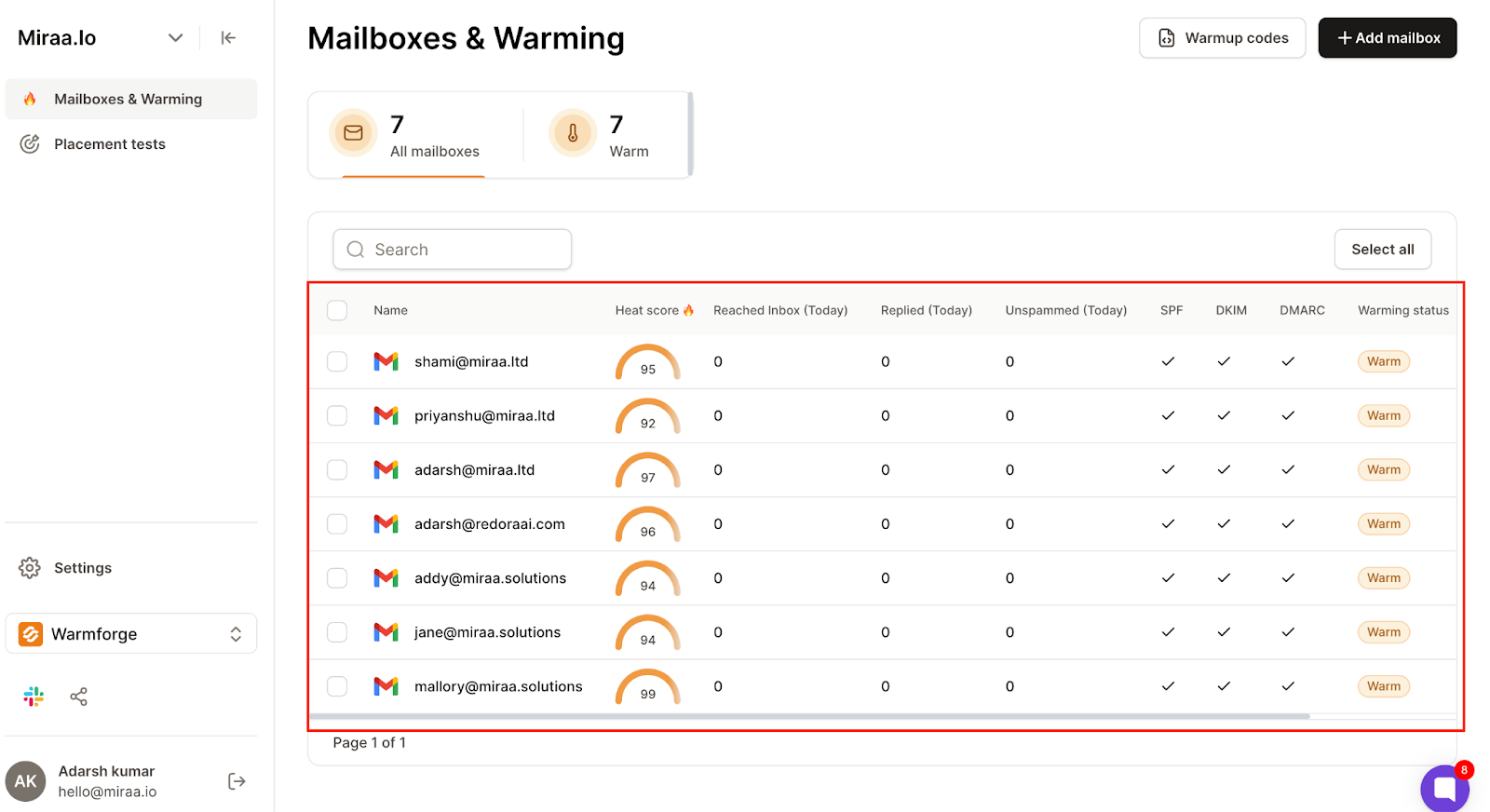
- Built-in email warm-up, domain setup, and IP rotation, no need for extra tools.
- A shared inbox (Primebox™) that keeps all your replies in one view.

- Agent Frank, an AI SDR that runs your outbound 24/7, books meetings, and follows up automatically.
- Seamless support for Gmail, Outlook, and other ESPs, all warmed up and ready.
- Custom rules for tone, goals, language, and reply logic, tailored to your workflow.
Pros
- Fully automates prospecting, outreach, replies, and meeting booking
- Built-in email infrastructure and warm-up (no need for third-party tools)
- Better deliverability with multi-IP and inbox rotation
- Scales faster than Salesflow with more control
Cons
- Agent Frank costs extra ($499/month)
Pricing

- Pro Plan – $48/month (solo outreach)
- Growth Plan – $96/month (scale, multi-user, LinkedIn + email)
- Agent Frank – $499/month (fully automated AI SDR)
Summary
Salesflow works fine when you’re starting out.
But if you’re ready to scale, or you’re tired of things breaking or doing everything by hand, Salesforge gives you more.
It handles setup, warm-up, outreach, replies, and meetings, all in one tool, without needing extra platforms.
It’s the smarter upgrade if you want to automate your entire outbound flow.
#2. Dripify — Best Salesflow Alternative for LinkedIn Team Campaigns
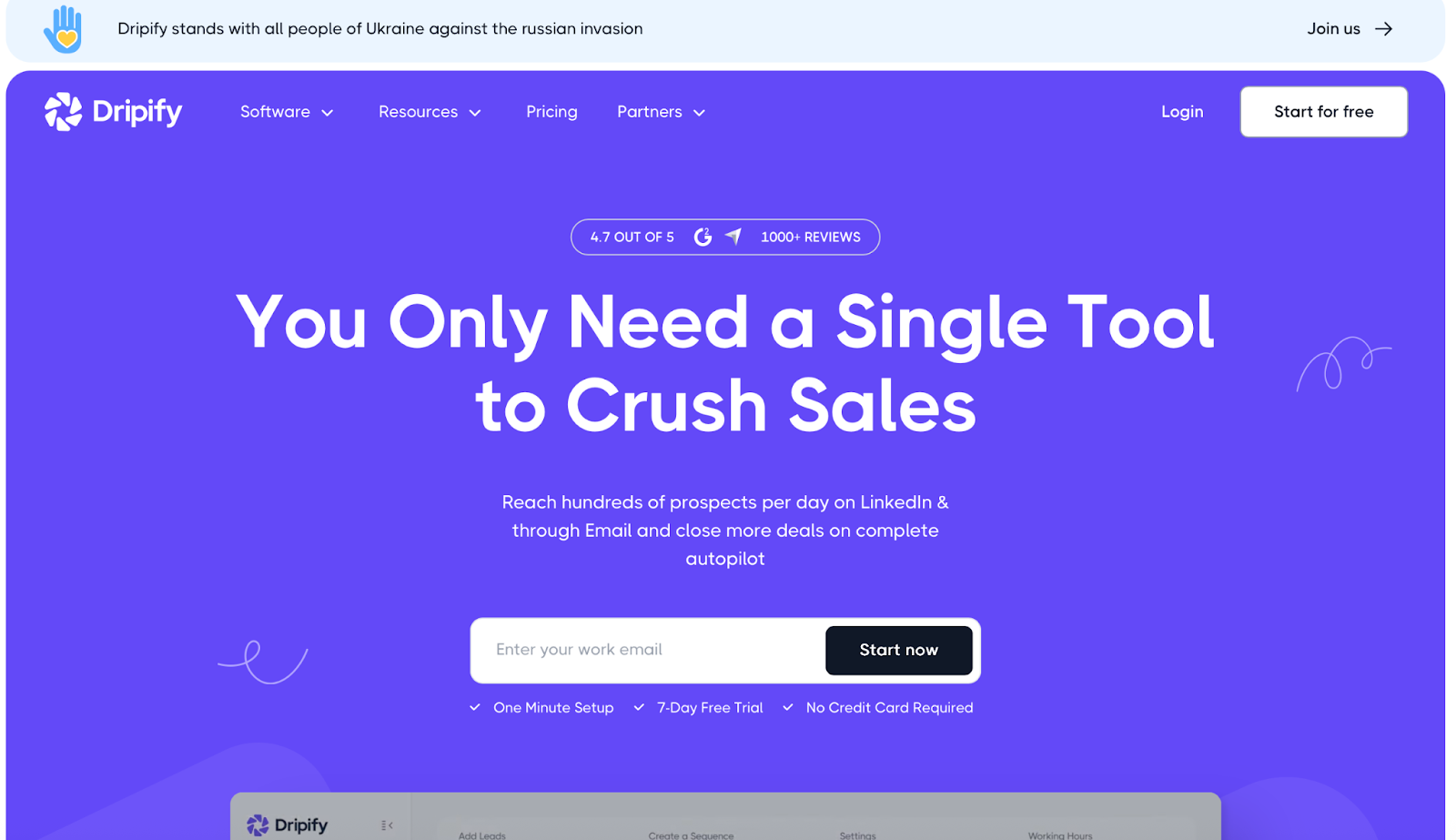
If Salesflow feels too clunky for your team, or you want a cleaner way to run LinkedIn campaigns, Dripify might be a better fit.
It’s easy to set up. It helps your team launch LinkedIn and email outreach fast. You can create drip sequences, personalize messages, and even find emails, all from one place.
Many users like that you don’t need a lot of training to get started. The layout is clean, and the campaign builder uses drag-and-drop steps.
If you’re running daily outreach and need fast reporting, Dripify gives you quick stats with visuals, so you can see what’s working in seconds.
What Dripify Offers?
- LinkedIn and email automation in one tool
- Drag-and-drop drip campaign builder
- AI-based personalization with 20+ variables
- Built-in email finder and verifier
- Simple team setup and user-friendly dashboard
- Works with Zapier and Make for CRM connections
Pros
- Very easy to use and fast to set up
- Great for managing multiple LinkedIn campaigns
- Clean dashboard with fast visual reporting
- Helpful AI personalization for better replies
- Supports both LinkedIn and email sequences
Cons
- No direct Salesforce or HubSpot integration (you’ll need Zapier)

- Doesn’t find business emails well, mostly LinkedIn emails
- Some users find inbox and lead list features hard to manage
- Limited control over team-level campaign sharing
- Reporting could be deeper for power users
Pricing
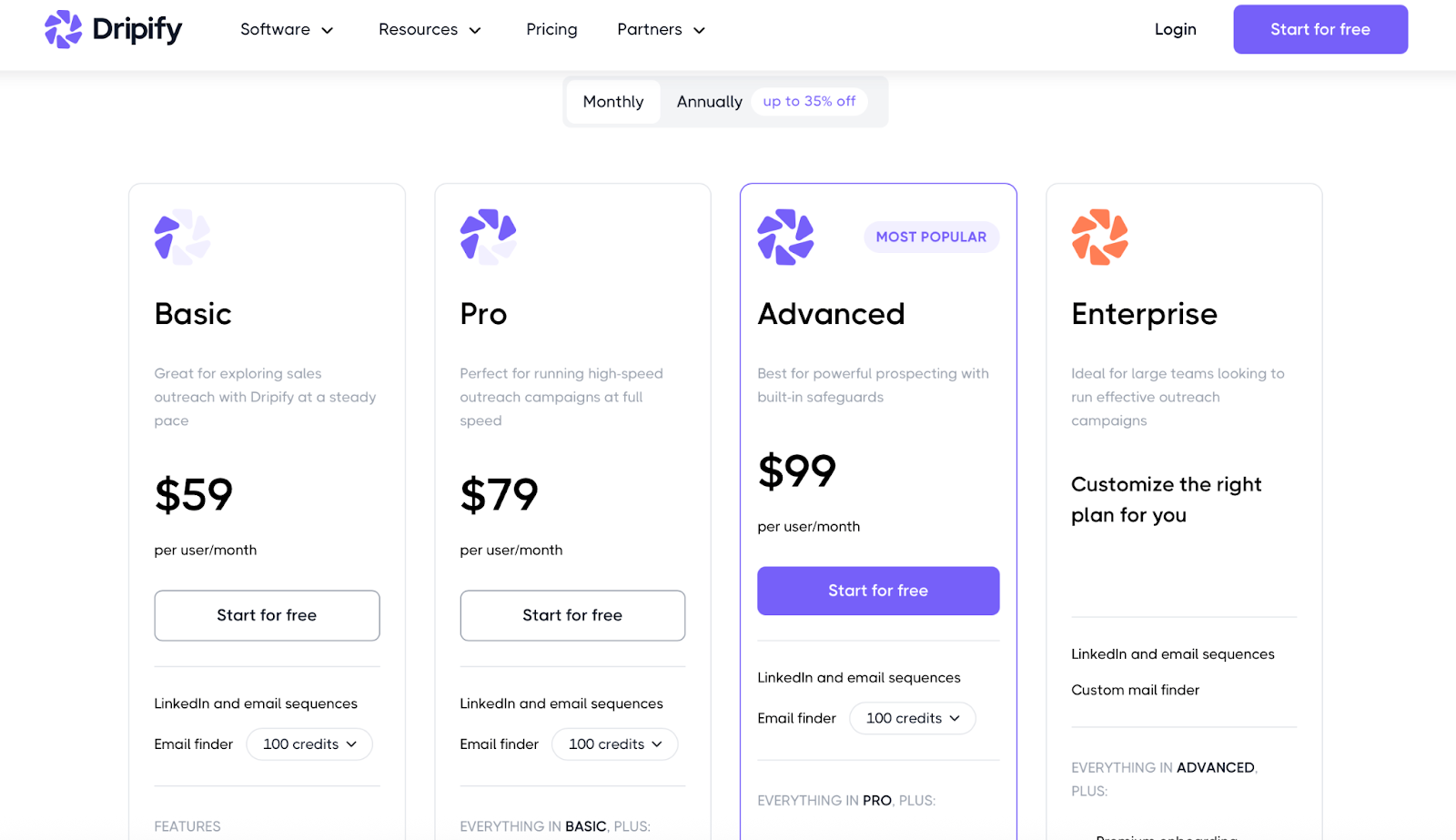
- Basic – $59/month (1 drip campaign, limited features)
- Pro – $79/month (unlimited campaigns, inbox, exports)
- Advanced – $99/month (team features + LinkedIn safety tools)
- Enterprise – Custom pricing for large teams

Summary
If you're using Salesflow and want something simpler for LinkedIn outreach, especially for team setups, Dripify is a strong option.
You won’t get built-in deliverability tools or full email control like Salesforge, but if your focus is LinkedIn-first, with light email support, Dripify gets the job done with less setup time.
7 Best Dripify Alternatives & Competitors for Sales Outreach (2025)
#3. Skylead — Best Salesflow Alternative for Visual Campaign Flows & Inbox Control
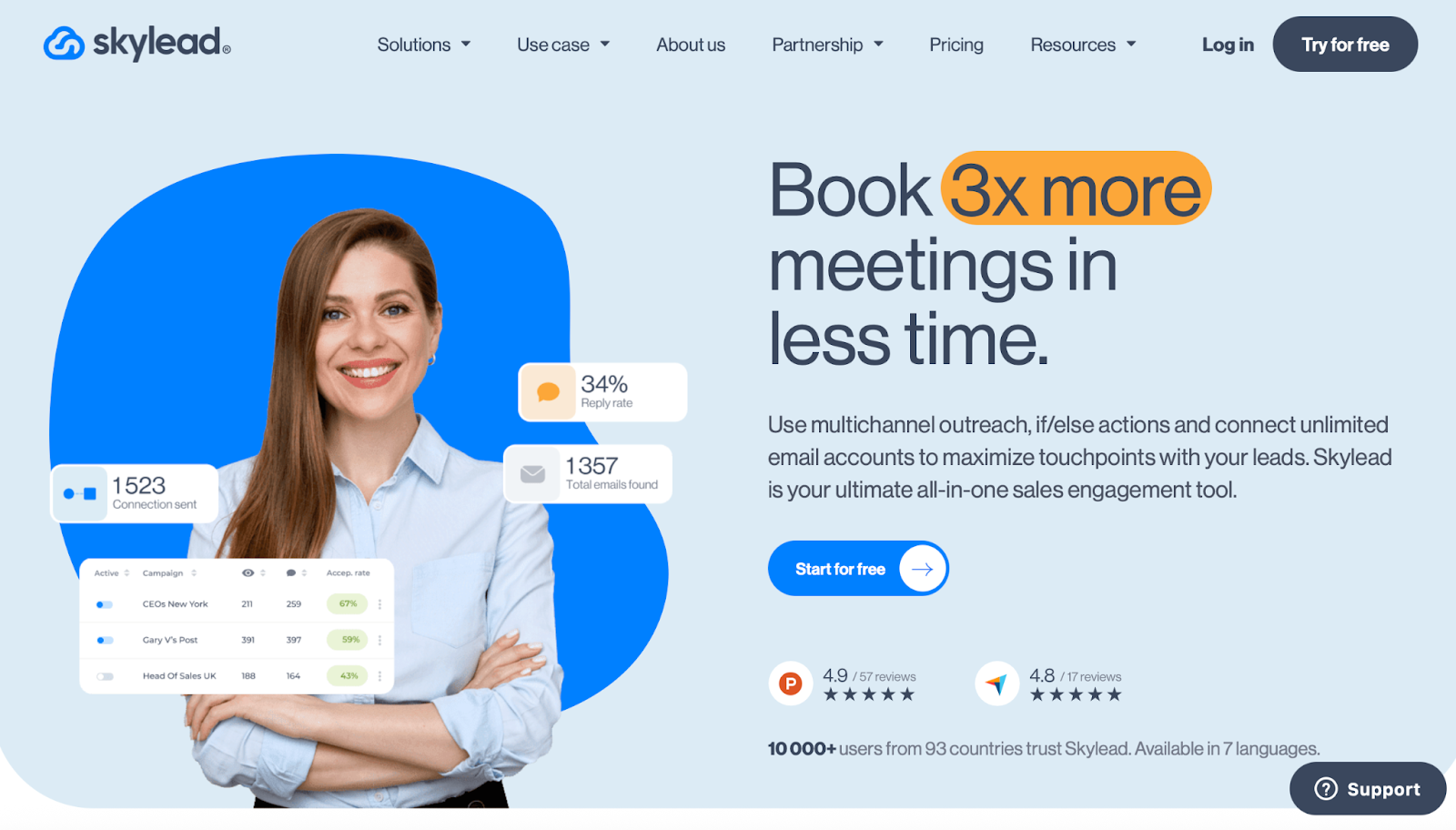
If you're using Salesflow and want more control over how your campaigns work, Skylead could be a better fit.
It gives you full LinkedIn + email outreach, just like Salesflow. But the big difference is the way it works, everything is visual and fully customizable.
You can build “smart sequences” using drag-and-drop steps.
These flows let you add if/else logic, so your messages change based on what your leads do.
Skylead also lets you send unlimited emails from unlimited accounts, with automatic warm-up built-in.
No need to manage deliverability separately.
And if you like standing out, it has personalized image and GIF options to help you get more replies.
What Skylead Offers?
- Multichannel outreach with email and LinkedIn
- Drag-and-drop smart sequences with if/else logic
- Unlimited email sending with inbox rotation
- Built-in warm-up for all email accounts
- Personalized images and GIFs for better replies
- Localized in 7 languages
Pros
- Very flexible campaign builder with full logic control
- Supports high-volume outreach (100,000+ emails/month)
- Smart inbox to manage replies in one view
- Email discovery + verification in the same tool
- Visual workflows make campaign setup faster
Cons
- $100/month flat pricing, no cheaper plan for solo users
- Some learning curve for setting up logic-based flows
- No native CRM integrations, API or Zapier only

- Focused more on power users than basic beginners
Pricing
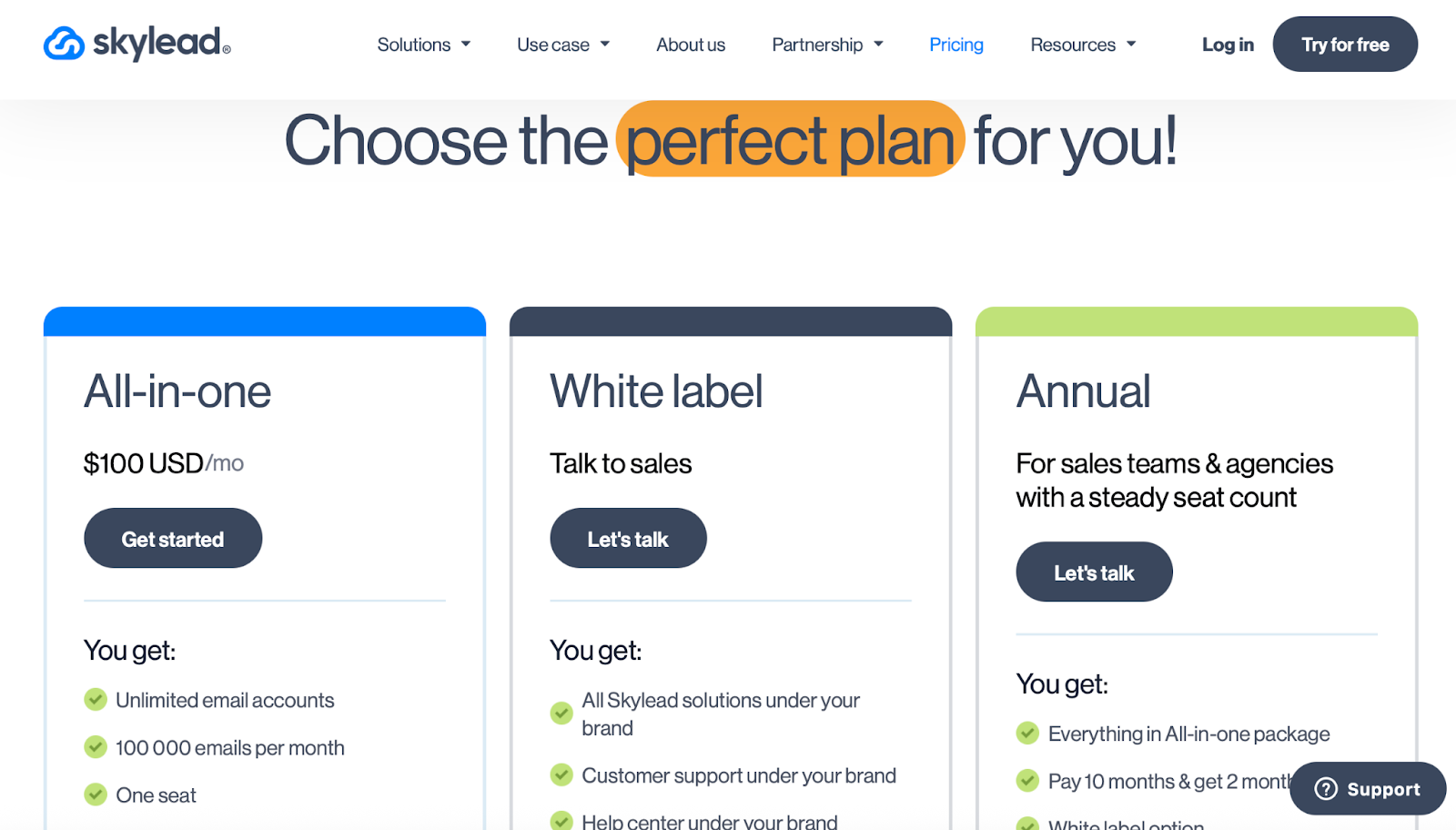
- All-in-One Plan – $100/month
Includes unlimited email accounts, smart sequences, warm-up, email finder, personalization, API access
- White Label / Annual Plans – Custom pricing
For agencies or larger teams needing brand control or yearly discounts
Summary
Salesflow gives you basic LinkedIn and email outreach, but Skylead gives you more control, better flow logic, and built-in warm-up for unlimited inboxes.
If you want to run high-volume campaigns, build advanced sequences, or personalize at scale , Skylead is a solid upgrade from Salesflow.
Not Sure Which Tool to Pick? Let’s “Find Your Match”
Let’s treat this like a game. You’ve got 3 options on the table — now let’s see which one fits you best.
🎯 You want to do nothing and still book meetings?
Go for Salesforge. You’re here hiring an AI SDR that works 24/7 and doesn’t ask for coffee breaks.
👥 You just want LinkedIn campaigns that your team can launch today?
Pick Dripify. Clean dashboard, quick setup, no extra brainpower needed.
🧠 You love control, want smart workflows, and don’t mind a little setup?
Choose Skylead. Drag, drop, tweak, and run campaigns like a cold outreach wizard.
😩 Still feeling stuck?
Here’s a tip, most readers who tried Salesflow and wanted less fixing, fewer limits, and better replies... ended up switching to Salesforge.
👉 Try Salesforge here and see how much smoother your outbound gets.
.png)

.png)

.png)