ReachInbox Reviews: Our In-depth Analysis After Using It for 4 Weeks

We’ve read so many ReachInbox reviews lately that all said the same thing, “easy to use,” “great deliverability,” “smart automation.”
But we wanted to see if it actually lives up to that.
So, we used ReachInbox every day for four weeks, writing campaigns, warming up inboxes, and tracking results, to find out what it really does well, and where it falls short.
This isn’t a sugar-coated review or another copy of what’s already on G2.
We’ll walk you through exactly how ReachInbox works, what users are saying, the real pros and cons, and whether it’s worth using.
By the end, you’ll know if ReachInbox fits your outreach workflow, or if it’s time to consider other options instead.
Let’s start from the top.
What Is ReachInbox?
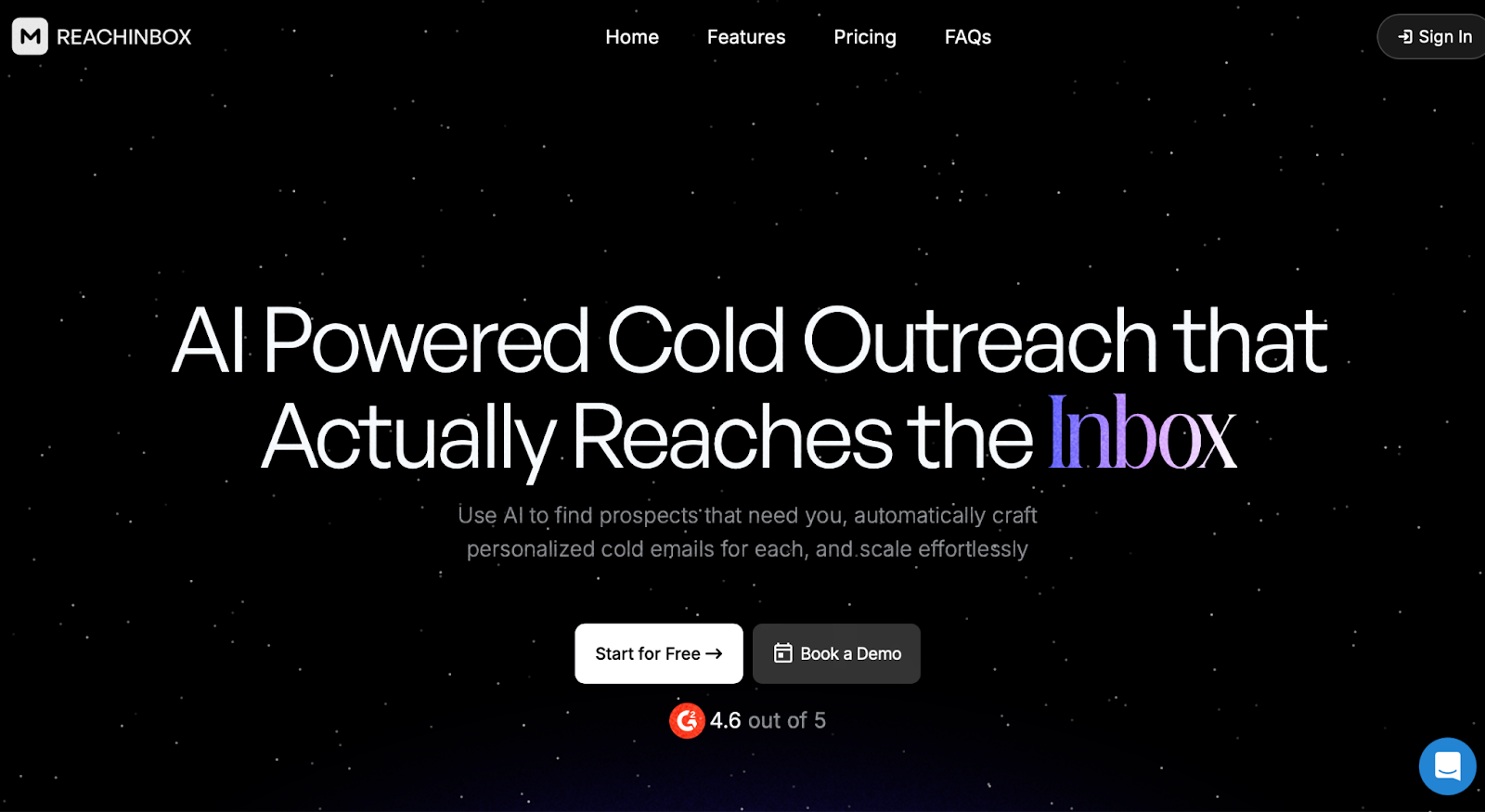
ReachInbox is a cold email platform built to help teams send, manage, and track outreach campaigns, all in one place.
At its core, it lets you:
- Connect unlimited email accounts
- Warm up inboxes automatically
- Create and send email sequences
- Track replies and manage conversations
You also get tools for writing and testing email copy, managing leads, and organizing replies using its built-in Onebox inbox.
Plans start with a free tier (limited mailboxes and sending volume), and go all the way up to enterprise plans with support for over 1 million emails per month, 500,000 active leads, and custom onboarding.
ReachInbox is made for teams who want to scale cold email, without constantly switching between different tools.
Who Should Use ReachInbox (and Who Shouldn’t)
Use ReachInbox If...
- You want one tool for sending, warming, and replying.
- You prefer not to use 4–5 separate tools for cold email.
- You need unlimited warm-up included in your plan.
- You want AI help to write or personalize emails.
- You’re doing cold email at scale with APIs and webhooks.
- You don’t want to deal with technical setup or DNS.
Don’t Use ReachInbox If...
- You only need lead enrichment or deep research.
- You want LinkedIn, calling, or multi-channel outreach.
- You need advanced CRM workflows or automation.
- You’re looking for white-label on a tight budget.
How ReachInbox Works (We Used the Free Plan)
To test ReachInbox properly, we started with the free plan, no credit card needed.
It gave us a good look at how the platform works without jumping straight into a paid tier.
Here’s what the setup and workflow looked like:
1. We Signed Up With the Free Plan
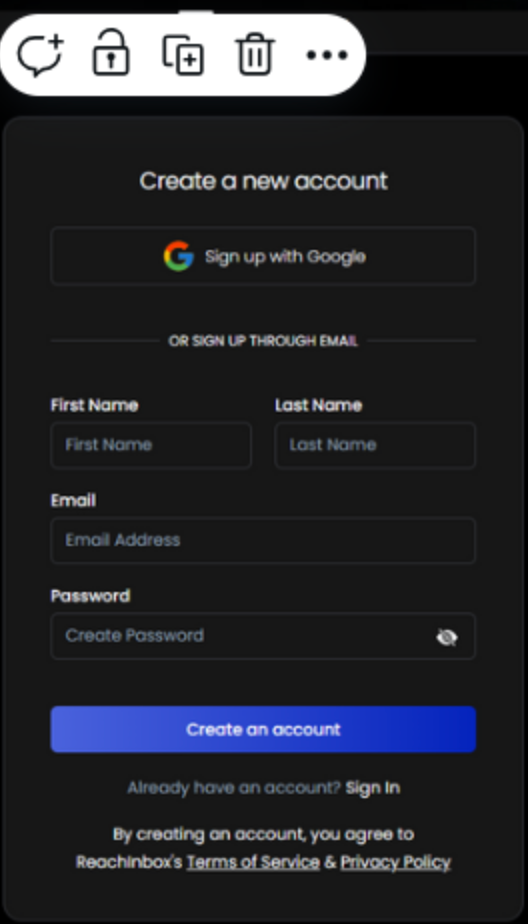
We created an account, selected the Free Plan, and got access to key tools instantly.
Here’s what we got with the free version:
- 3 external email accounts
- 50 active leads per month
- 250 email sends per month
- 500 AI credits (one-time)
- Access to AI content tools (like prompts and reply suggestions)
- Lead Finder (100 credits one-time)
- Onebox for reply management
No API access, and emails carried a ReachInbox watermark, but for testing, it was enough.
2. We Connected Our Email Accounts
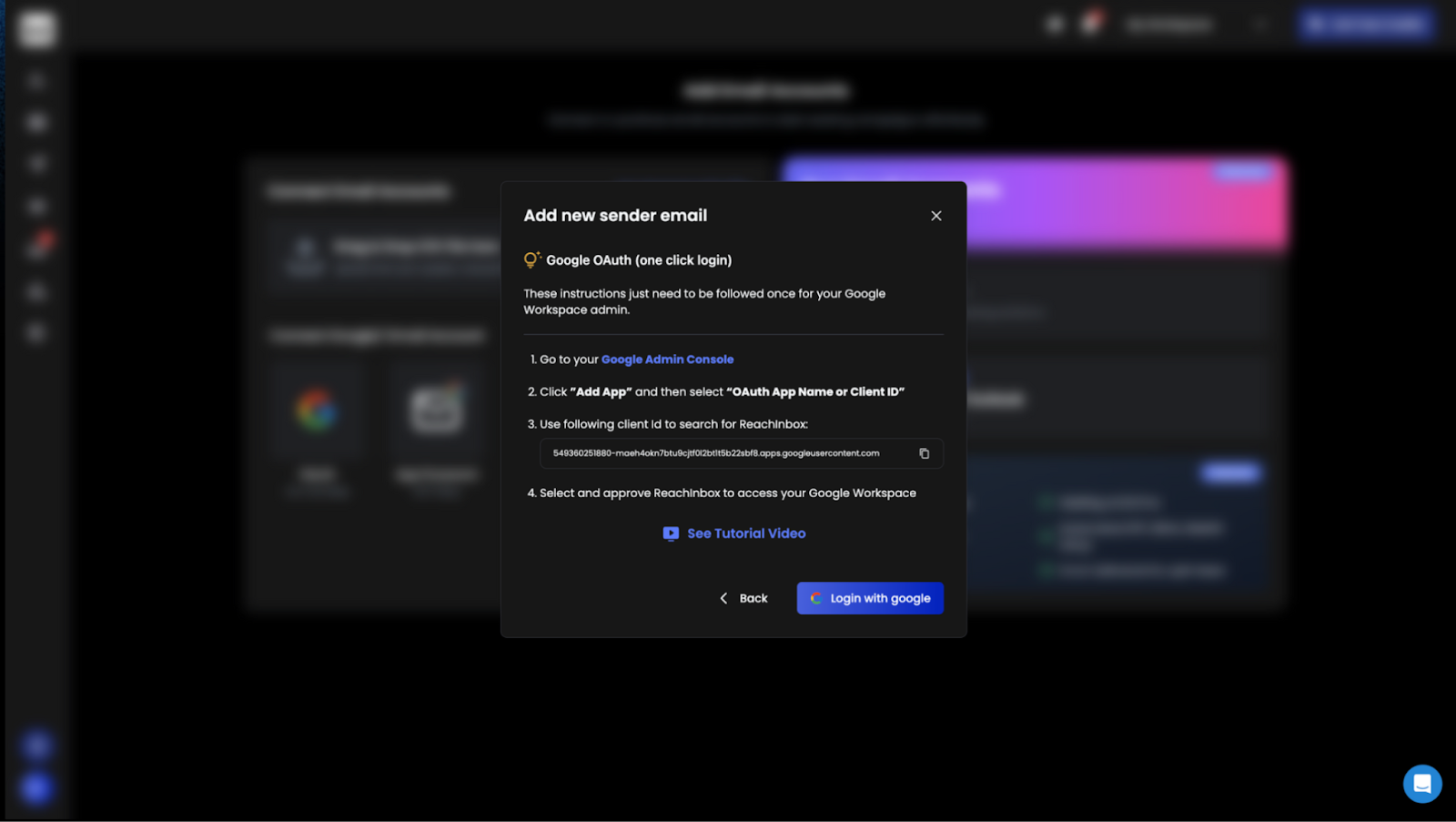
Connecting mailboxes was quick, we used Gmail and Outlook.
The warm-up process started automatically after we connected them.
It runs in the background and slowly boosts domain reputation by mimicking real conversations.
There’s also an option to buy inboxes already warmed up, but we didn’t try that.
3. We Uploaded Leads and Built a Campaign
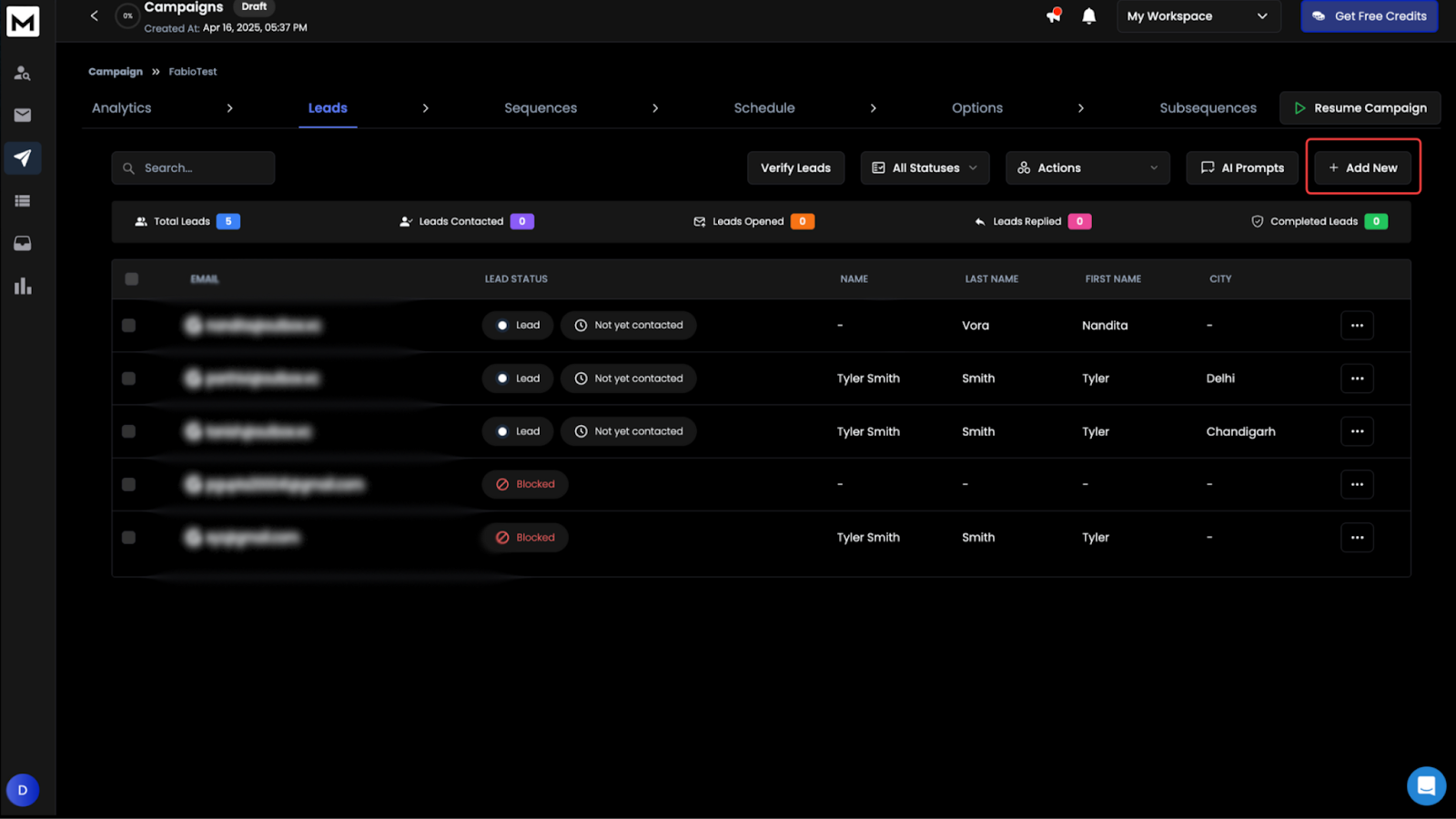
We uploaded a small lead list and launched a cold email sequence.
There were built-in tools to personalize each email, including variants, spintax, and smart content blocks.
Even with the free plan, we had access to most of these features.
4. We Sent the Emails and Tracked Everything
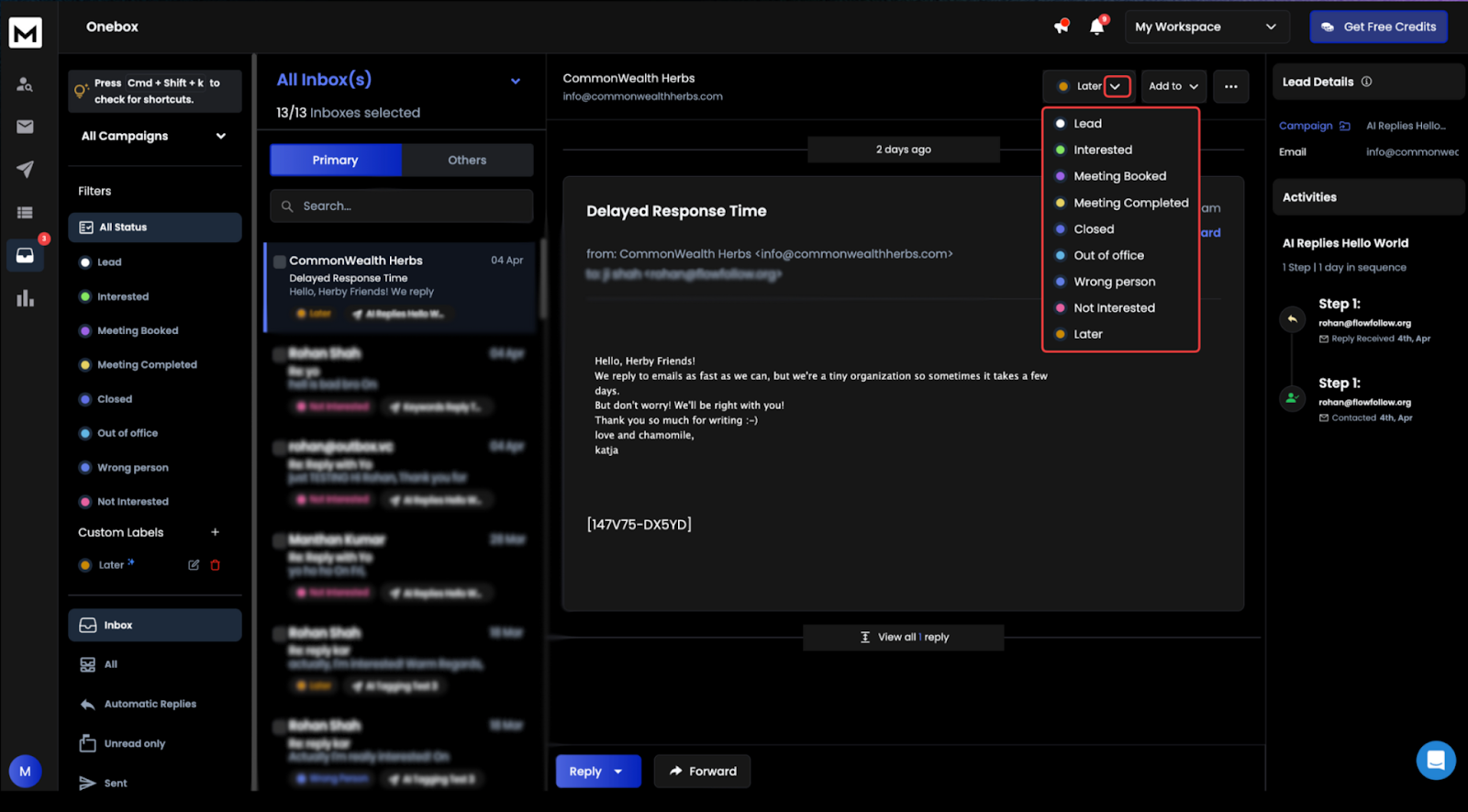
Once the campaign went live, we used Onebox to view replies from all 3 inboxes in one place.
It categorized responses and let us reply directly from the dashboard.
We also saw live stats, open rates, bounces, and replies, along with alerts for anything that could hurt deliverability.
5. We Explored Other Features
We used some of the one-time credits to test:
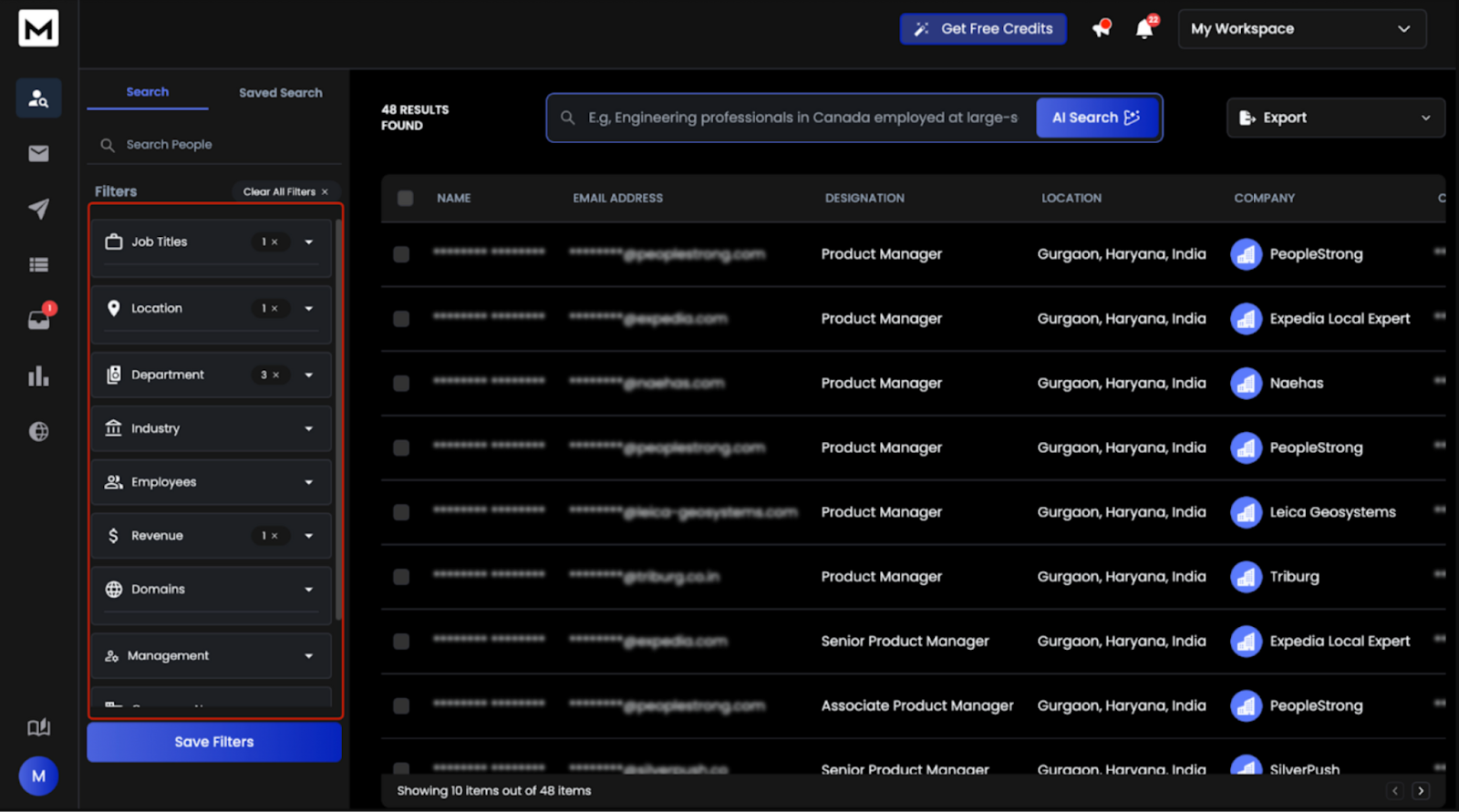
- Lead Finder (100 credits)
- Email resolution (10 credits)
- LinkedIn profile enrichment (50 credits)
They worked fine for basic prospecting, but are limited under the free plan.
ReachInbox Features We Tested in the Free Plan
- We connected 3 email accounts (Gmail + Outlook) and warmup kicked in automatically.
- The free warmup wasn’t premium, but it still helped build sender reputation.
- We sent 250 emails in total, enough for a real sequence with follow-ups.
- Uploaded 50 leads manually and managed them inside a simple lead panel.
- Deleting a few leads mid-way to reuse the slot, works if you’re optimizing volume.
- Used 500 AI credits to write subject lines, first lines, and tweak email copy.
- Credits go fast, but it’s good for testing how smart the AI actually is.
- All replies landed inside Onebox, neatly organized by sentiment.
- We didn’t touch Gmail or Outlook, just replied from Onebox itself.
- Tried Lead Finder with 100 credits, results were basic, but useful for testing.
- Spam Checker flagged weak spots in our emails before sending.
- Used the Campaign Builder to add spintax and set up full sequences.
- Could only make 3 campaigns, but that’s enough to test how it flows.
- Deliverability dashboard gave us a quick view of opens, replies, and bounces.
What Was Missing in the Free Plan
- No API access or CRM integrations (those come with paid plans).
- “Sent via ReachInbox” footer showed up on every email.
- No multiple workspaces, you’re limited to just one.
- AI, Lead Finder, and enrichment credits were one-time only.
How Much Does ReachInbox Cost?
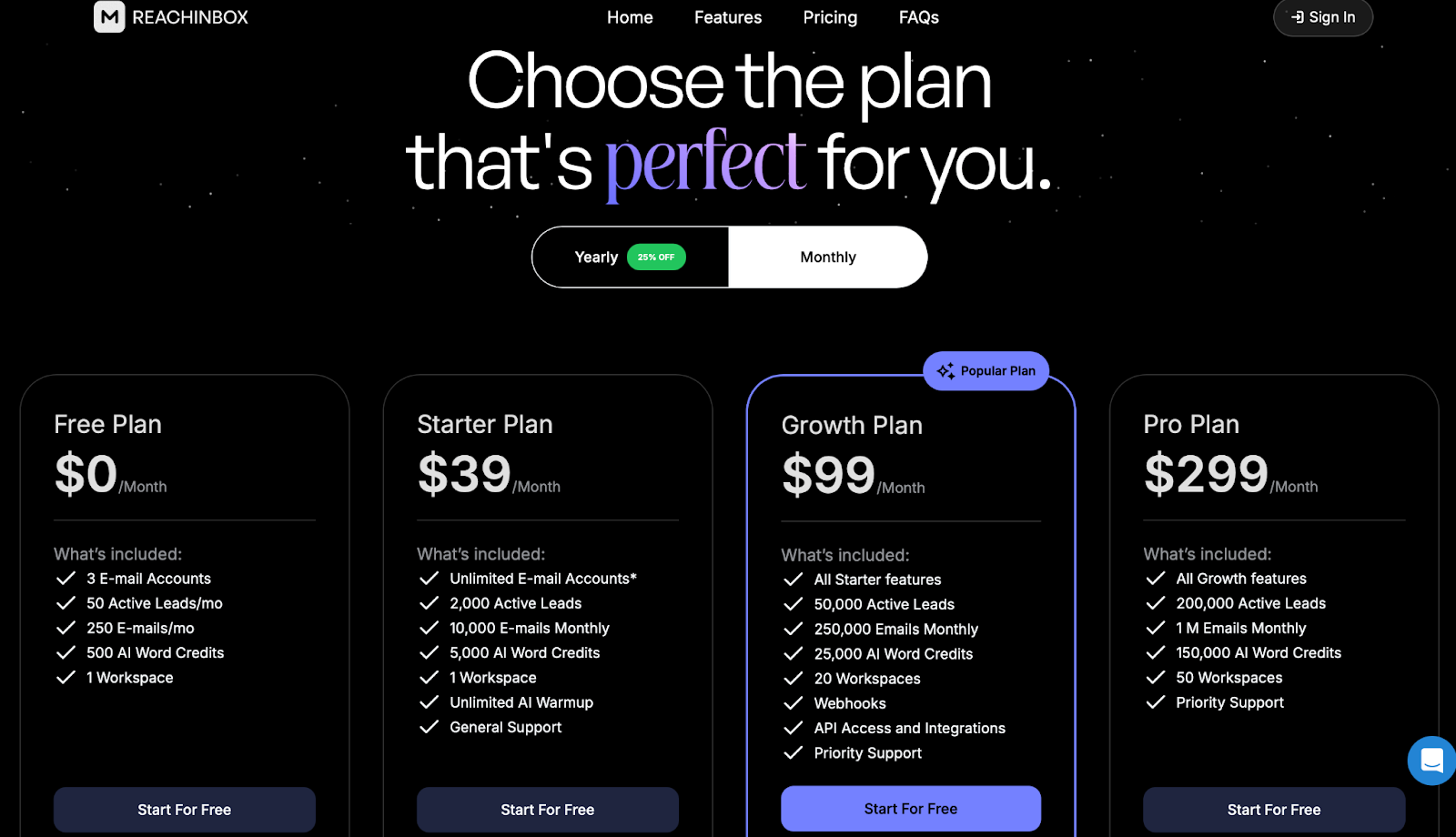
Here’s what you get at each plan level:
Free Plan – $0/month
- 3 warmup accounts
- 50 leads/month
- 250 emails/month
- 500 AI words (one-time)
- 1 workspace
Good for testing, but includes ReachInbox branding.
Starter – $39/month
- Unlimited inboxes
- 2,000 leads
- 10,000 emails/month
- 5,000 AI words
- 1 workspace
Best for solo users managing multiple mailboxes.
Growth – $99/month
- 50,000 leads
- 250,000 emails/month
- 25,000 AI words
- 20 workspaces
- API + Webhooks
- Priority support
Scales well for teams or small agencies.
Pro – $299/month
- 200,000 leads
- 1M emails/month
- 150,000 AI words
- 50 workspaces
- Everything included + scale support
For high-volume senders managing many clients or brands.
Enterprise – Starts at $999/month
- 500,000 leads
- 1M emails/month
- Unlimited warmup
- White-labelling
- 50 workspaces
- Dedicated manager
Tailored for white-label or large outbound operations.
What We Liked about ReachInbox
After 4 weeks of using ReachInbox across both free and paid tiers, here’s what we genuinely liked:
- Unified Inbox (Onebox)
We didn’t have to jump across multiple inboxes.
Every reply, from all mailboxes, landed in one clean interface with automatic reply labeling (positive, neutral, bounce, etc.).
- Strong Email Volume Support on Paid Plans
The Growth plan ($99) allowed us to send up to 250,000 emails/month and handle 50,000 active leads. It’s scalable if you’re running large campaigns.
- AI Word Credits & Copy Generator
Their subject line, body, and intro generators saved us time.
Especially helpful when testing multiple angles using Spintax and variants.
- No Credit Card Needed to Start
You can test the platform before paying.
The free plan is enough to run basic campaigns and see deliverability trends.
- Real-Time Spam Checker
Each email draft gets scored for spam triggers, not just content-based, but formatting and links too. It helped us avoid basic mistakes.
- Subsequence Logic & Advanced Scheduling
We could set smart follow-up rules (e.g. “send only if no reply + inbox is not OOO”) and schedule emails with timezone accuracy.
What Could Be Better
Even though ReachInbox offers a lot, here are some areas that felt limited or missing:
- No Inbox Placement Testing
You can’t run inbox vs spam placement tests before launching, something advanced users might need to monitor reputation.
- No Built-in Unsubscribe Link Management

There’s no central dashboard to track or configure unsubscribe links. You need to handle opt-outs manually or through Zapier.
- Reply Management Is Still Basic
While Onebox is useful, it lacks filters like tags, folders, or reply-stage classification (e.g. “needs follow-up,” “negotiating,” etc.).
- Lead Finder Features Are Limited
You can’t enrich leads from LinkedIn or upload a list of companies to source contacts, it’s not a full lead gen platform.
- No Native CRM Integrations

There’s webhook and API access, but if you want to sync with tools like HubSpot or Salesforce, you’ll need Zapier or custom setup.
- Workspace Limit on Lower Plans
Only 1 workspace on a $39 plan.
For agencies or teams with multiple client campaigns, you’ll need to upgrade to Growth or Pro.
- Occasional UI Freezes

During our test, the app felt laggy when editing large campaigns.
It wasn’t frequent, but it did slow us down occasionally.
Best ReachInbox Alternative for Scalable AI Outreach → Stamina
If you like how ReachInbox simplifies cold email setup, but you need faster scaling, real-time inbox placement tracking, and AI-driven personalization across sales, CRM, and marketing, Stamina is the stronger alternative.
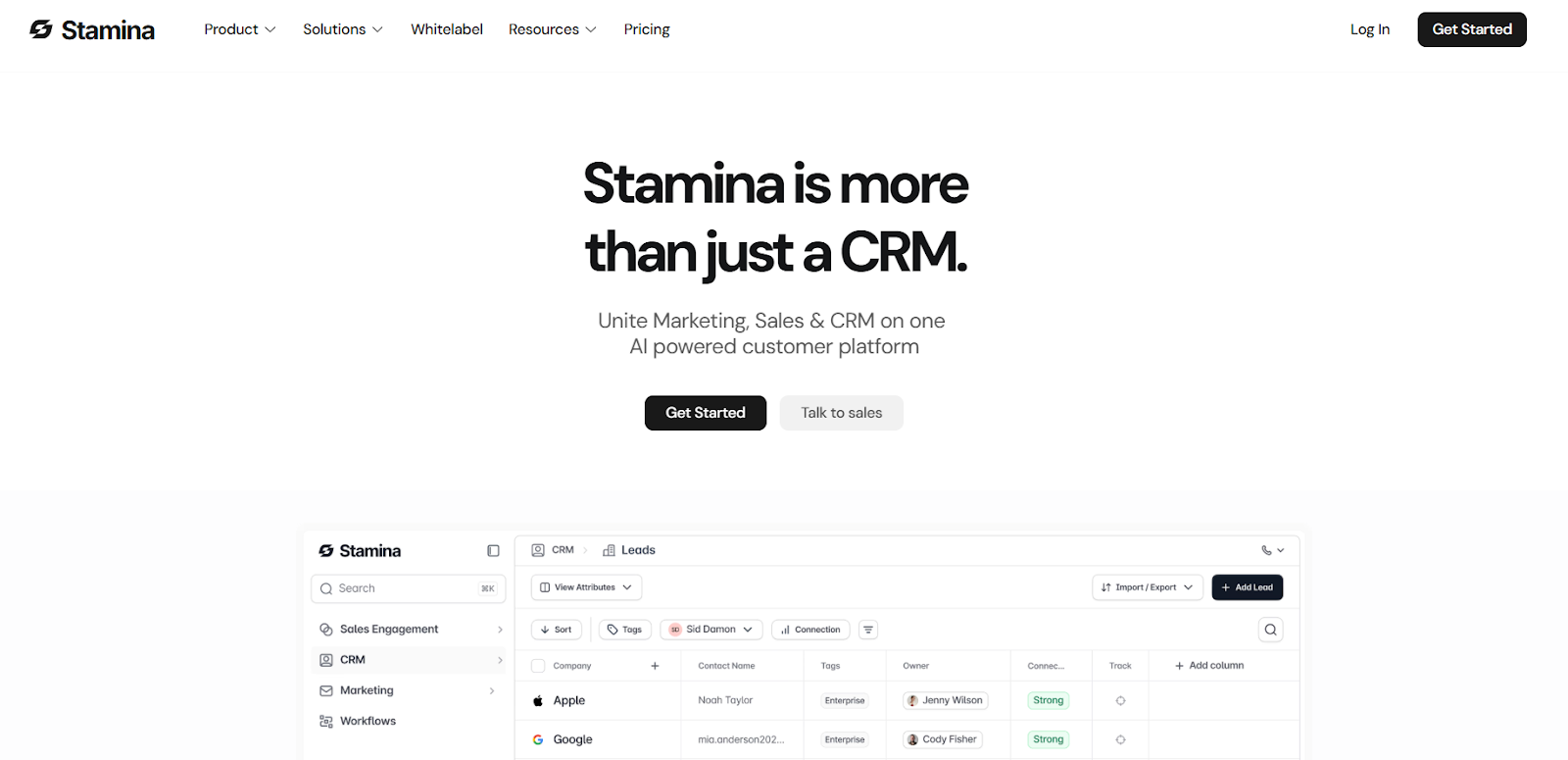
Stamina is a complete AI sales engagement and CRM platform that automates everything, from domain setup and deliverability management to AI-written campaigns and deal tracking, inside one clean workspace.
Unlike ReachInbox, which is built mainly for email sending and warm-up, Stamina unifies sales, CRM, and marketing automation in one connected system powered by its AI SDR, Zara.
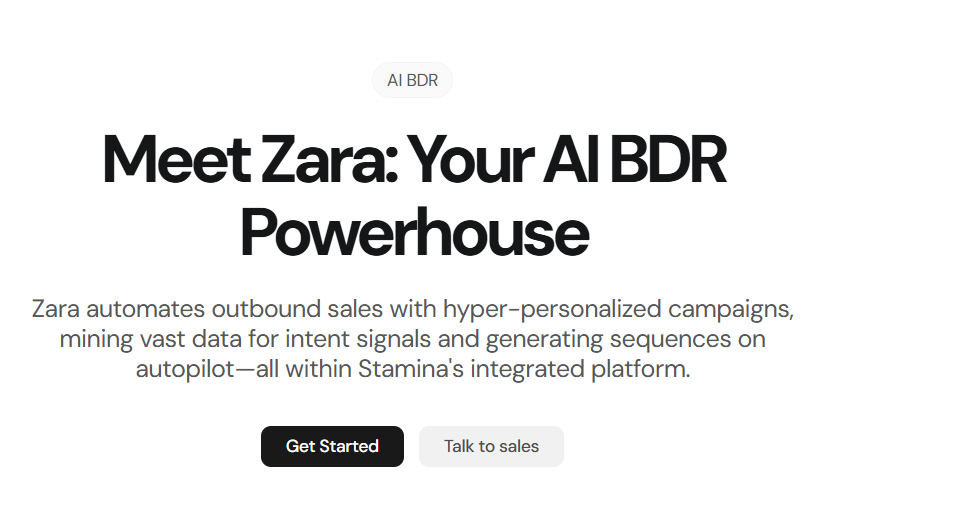
Zara automatically finds leads, researches them, detects intent signals (like funding rounds, job posts, or case studies), and creates personalized outreach sequences within minutes.
You also get real-time inbox placement monitoring, dynamic send limits, and AI-driven warmup powered by over 1 million real inboxes, ensuring your emails reach the primary inbox every time.
Pricing starts at $397/month for the Base plan, which includes 10,000 monthly credits for lead enrichment and AI personalization, unlimited setup, and chat support.
Teams that need dedicated strategy help, Slack support, and GTM consultations can opt for the Assisted plan at $797/month.
ReachInbox vs Stamina: Feature Comparison
If you need AI automation, full CRM visibility, and advanced deliverability control, then Stamina is the better choice.
It’s built for teams that want to scale outreach faster, smarter, and with zero manual effort.
Is ReachInbox Worth It for Cold Email Outreach?
If you want to start cold email campaigns quickly with built-in warm-up, AI writing tools, and easy tracking, ReachInbox is worth it.
It’s ideal for small teams and solo users who need a simple, affordable, and all-in-one cold email tool without complex setup.
However, ReachInbox is focused only on email outreach.
It doesn’t offer CRM, marketing automation, or real-time deliverability tracking.
If you need AI-driven personalization, live deliverability monitoring, CRM, and marketing workflows, Stamina is the better choice.
It combines sales engagement, CRM, and automation under one platform powered by Zara, the AI SDR, who researches leads, personalizes messages, and builds sequences automatically.
If you’re ready to move from basic cold emailing to smarter outreach, try Stamina, and build campaigns to reach inboxes.
.png)

.png)
.png)